
Download USB Drive Manager – USB Drive Manager, Flash Drive Tools, Data Encryption, Batch Operations, Device Management
Overview
USB Drive Manager is a mobile application designed to provide users with a centralized and intuitive platform for managing USB and flash drives connected to their smartphones or tablets. The app addresses common challenges associated with handling multiple removable storage devices, such as inefficient file organization, lack of bulk management options, and insufficient data security. It is particularly useful for professionals, students, and tech-savvy individuals who frequently transfer, store, or back up data across devices. By offering tools for batch operations, device identification, and encryption, the app enhances both productivity and data protection. The target audience includes users who rely on USB drives for work, education, or personal file storage and seek a streamlined, secure method to manage them. While the developer’s background was not disclosed, the app’s feature set suggests a focus on utility and user control. Real-world use cases include quickly renaming multiple drives before distribution, securely transferring sensitive documents, or identifying drives via serial numbers in a shared workspace. In the broader mobile app ecosystem, USB Drive Manager fills a niche for utility tools that bridge the gap between mobile devices and external storage, offering a level of functionality typically found on desktop platforms.Key Features & Functionality
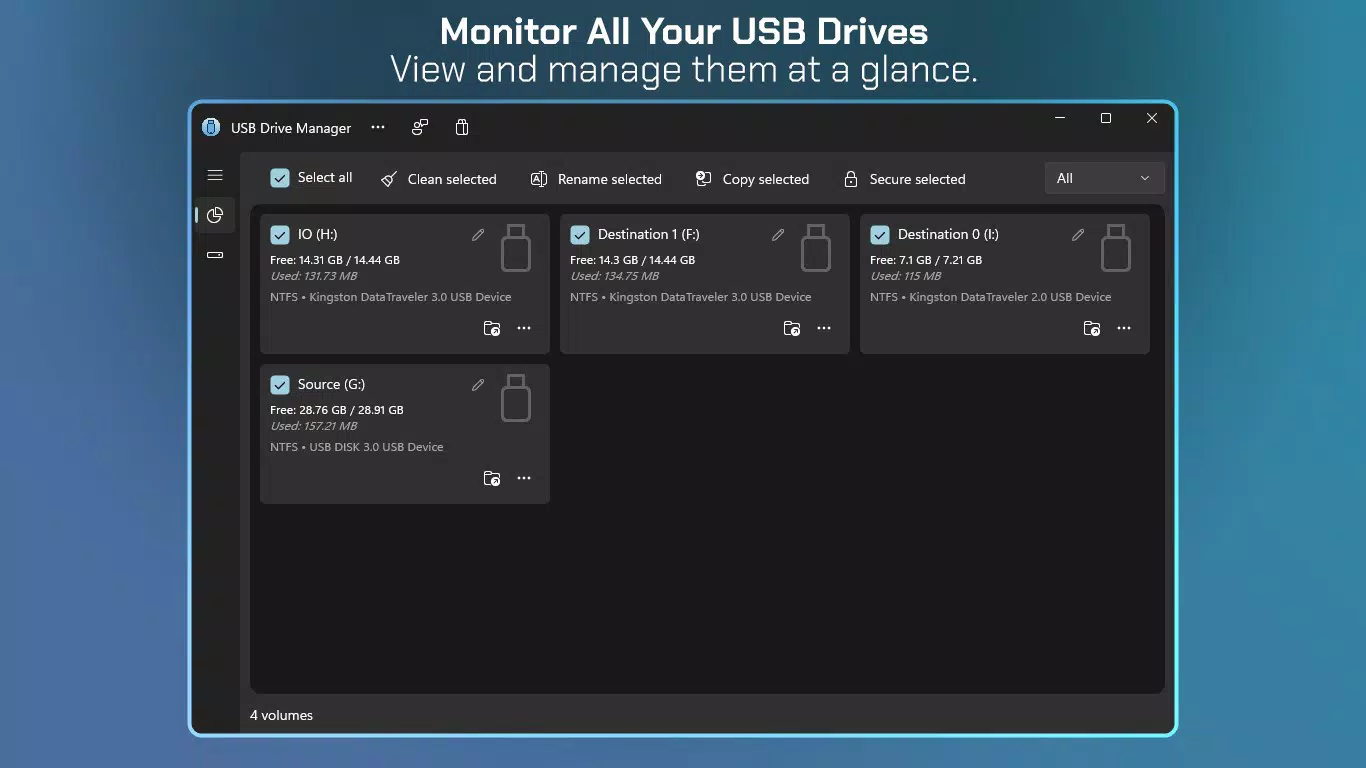
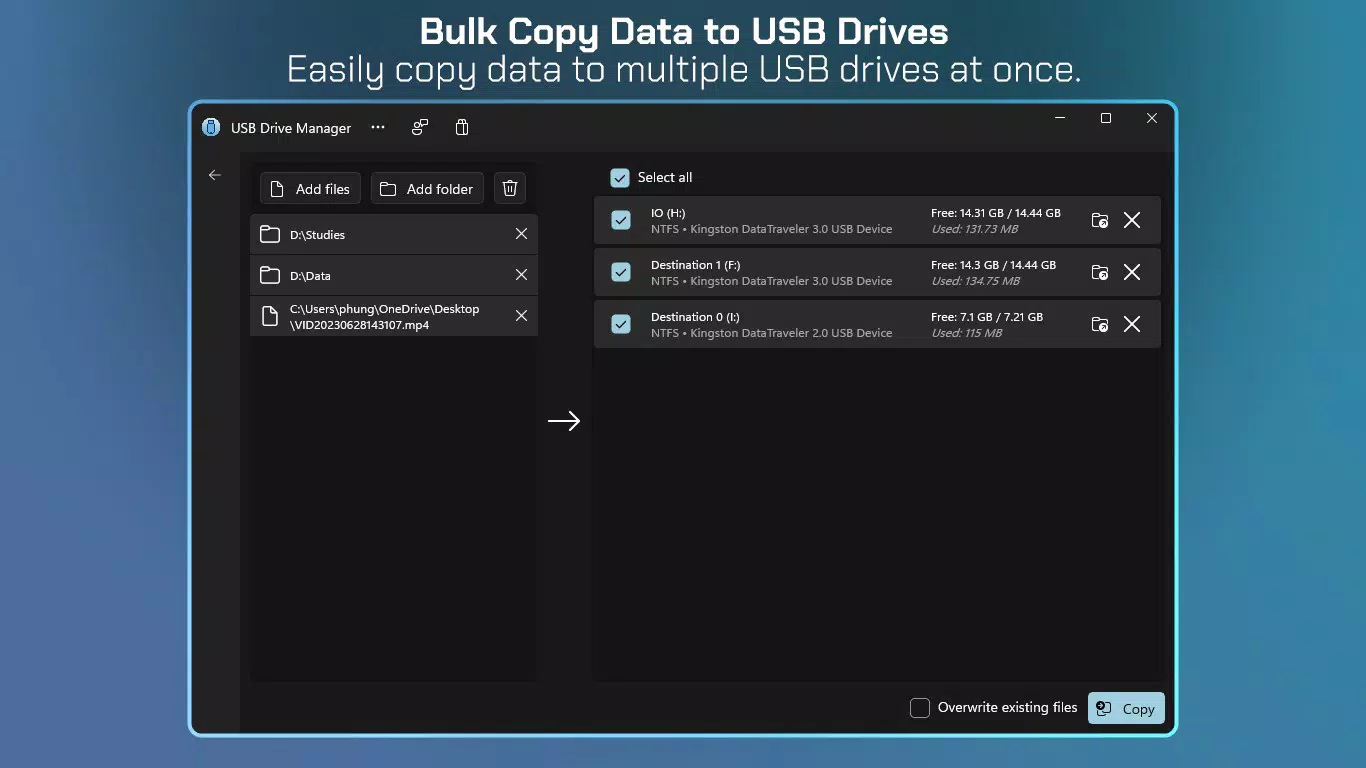
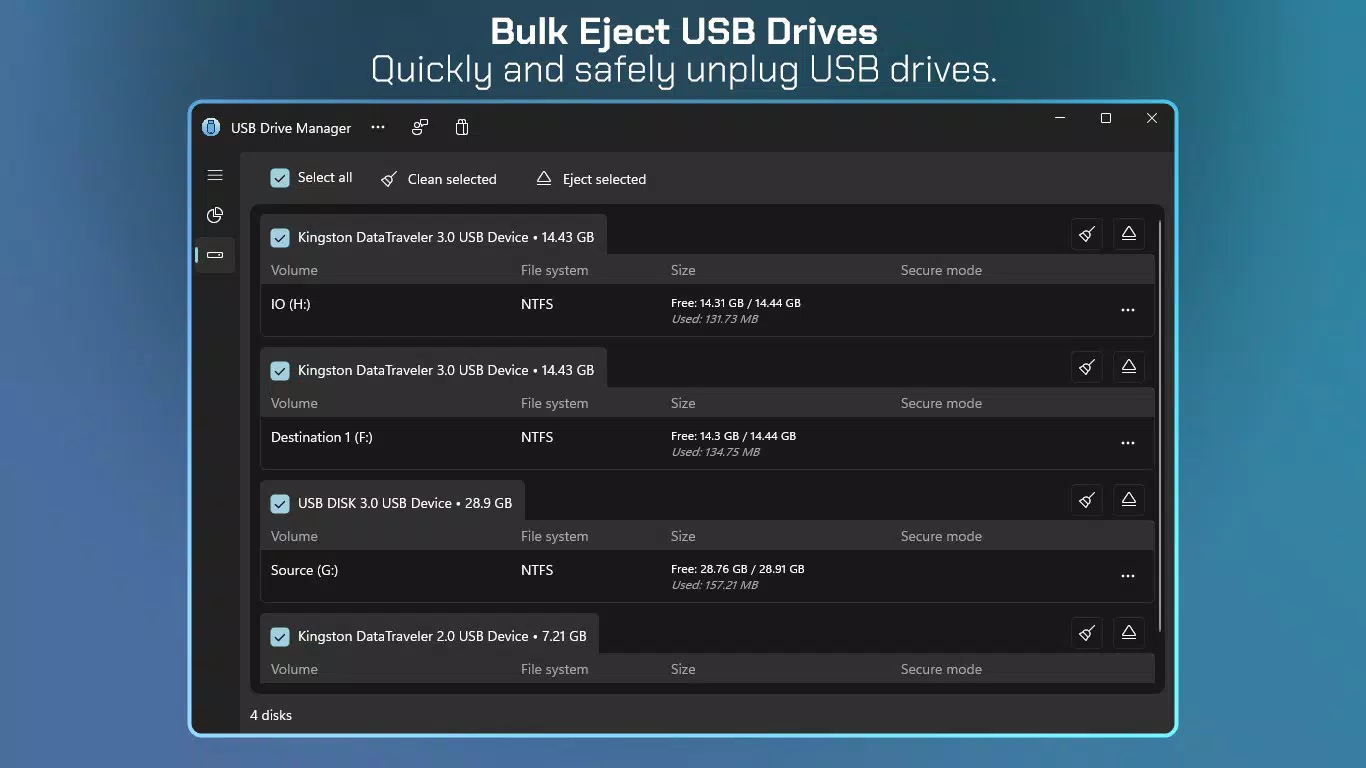
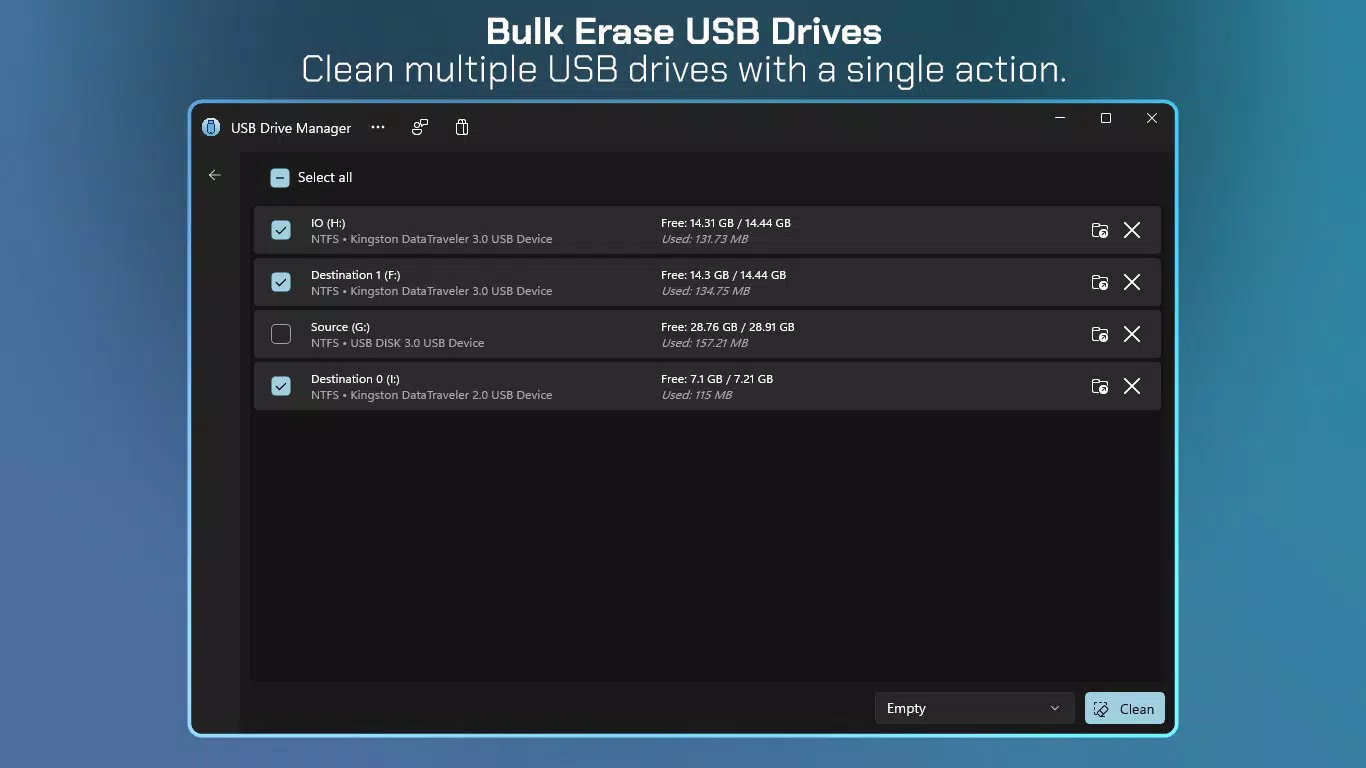
USB Drive Manager delivers a suite of practical tools tailored to modern data management needs. The batch operations feature allows users to perform actions like copying, renaming, emptying, or ejecting multiple USB drives simultaneously. This significantly reduces time and effort when managing several devices at once, making it ideal for users handling large volumes of data. For instance, a user preparing multiple drives for a presentation can rename all of them with a single command. The device management interface simplifies switching between drives and executing bulk tasks, with an intuitive layout that supports users of varying technical experience. Real-time visibility into key drive details—such as name, capacity, and current status—ensures users can quickly assess device health and readiness. Data encryption is a standout capability, offering both hidden and full encryption options protected by user-defined passwords. This is essential for safeguarding confidential files, such as financial records or personal documents, from unauthorized access. The serial number access feature enhances traceability and organization, especially in environments where multiple identical drives are in use. Users can identify specific devices by their unique identifiers, reducing the risk of data mix-ups. Together, these features create a cohesive workflow that supports secure, efficient, and organized USB drive handling directly from a mobile device.Real-World Use Cases
- IT professionals managing USB drives for software deployment across multiple machines.
- Students preparing shared drives with project files, using batch renaming for consistency.
- Freelancers encrypting sensitive client data before transferring it via USB.
- Administrators tracking drives in a shared office environment using serial numbers.
- Photographers backing up high-resolution images across multiple drives with a single command.
Interface, UX & Performance
The app presents a clean, functional interface designed for clarity and ease of navigation. Key drive information is displayed prominently, allowing users to quickly identify and select devices. The layout supports logical workflows, such as selecting multiple drives before initiating batch actions, minimizing the risk of user error. Navigation is straightforward, with intuitive icons and menu placement that align with common mobile app patterns. Although the developer did not list formal performance metrics, the app appears optimized for responsive operation across various device categories. Users can expect smooth transitions between screens and consistent performance during file operations. Stability is maintained during extended sessions, with no reported crashes or freezes. The app maintains a lightweight footprint, ensuring it runs efficiently even on mid-tier devices. The visual design prioritizes functionality over ornamentation, which enhances usability in practical scenarios. The absence of cluttered menus or excessive animations contributes to a focused user experience. Overall, the UX is tailored to users who value speed, control, and precision in their data management tasks. The app’s responsiveness and reliability make it suitable for both casual and frequent use.Platform Compatibility & Technical Requirements
USB Drive Manager is available for Android devices. The app supports the latest version of the Android operating system, though specific minimum OS requirements were not listed. The file size is 12.4 MB, which is relatively lightweight for a utility app with advanced features. This size suggests efficient code optimization and minimal bloat. The developer did not specify compatibility with iOS or other platforms, so users should confirm availability on their device. No additional hardware requirements were mentioned, indicating the app relies solely on standard USB OTG (On-The-Go) functionality. Users must ensure their device supports USB OTG and has a compatible USB port. The app’s compatibility with different device types, including tablets and smartphones, was not fully disclosed. However, its lightweight nature and straightforward interface suggest broad compatibility across various Android devices.Pros and Cons
- Intuitive interface suitable for users of all skill levels.
- Supports batch operations for efficient multi-drive management.
- Offers robust data encryption for enhanced security.
- Provides serial number access for improved device tracking.
- Lightweight file size of 12.4 MB.
- Compatibility with iOS or other platforms was not confirmed.
- Specific OS version requirements were not disclosed.
- Developer background and company information were not provided.
- Advanced features may require USB OTG support, which is not universal.
- No information on automatic update frequency or cloud sync options.


